GLx Research Platform.
Run the firmware. Follow the execution. Understand the crash.
A controlled environment for investigating SPTM, TXM, the Secure Kernel, and Exclaves—with live debugging, recorded execution, and the memory evidence to connect them.
Three tools.
One investigation.
Move from a live firmware experiment to the exact state and execution history that explain its result.
GLx Runner
Boot real firmware, select guest CPUs, attach your debugger, and drive repeatable experiments.
Control the target →
SK Core Explorer
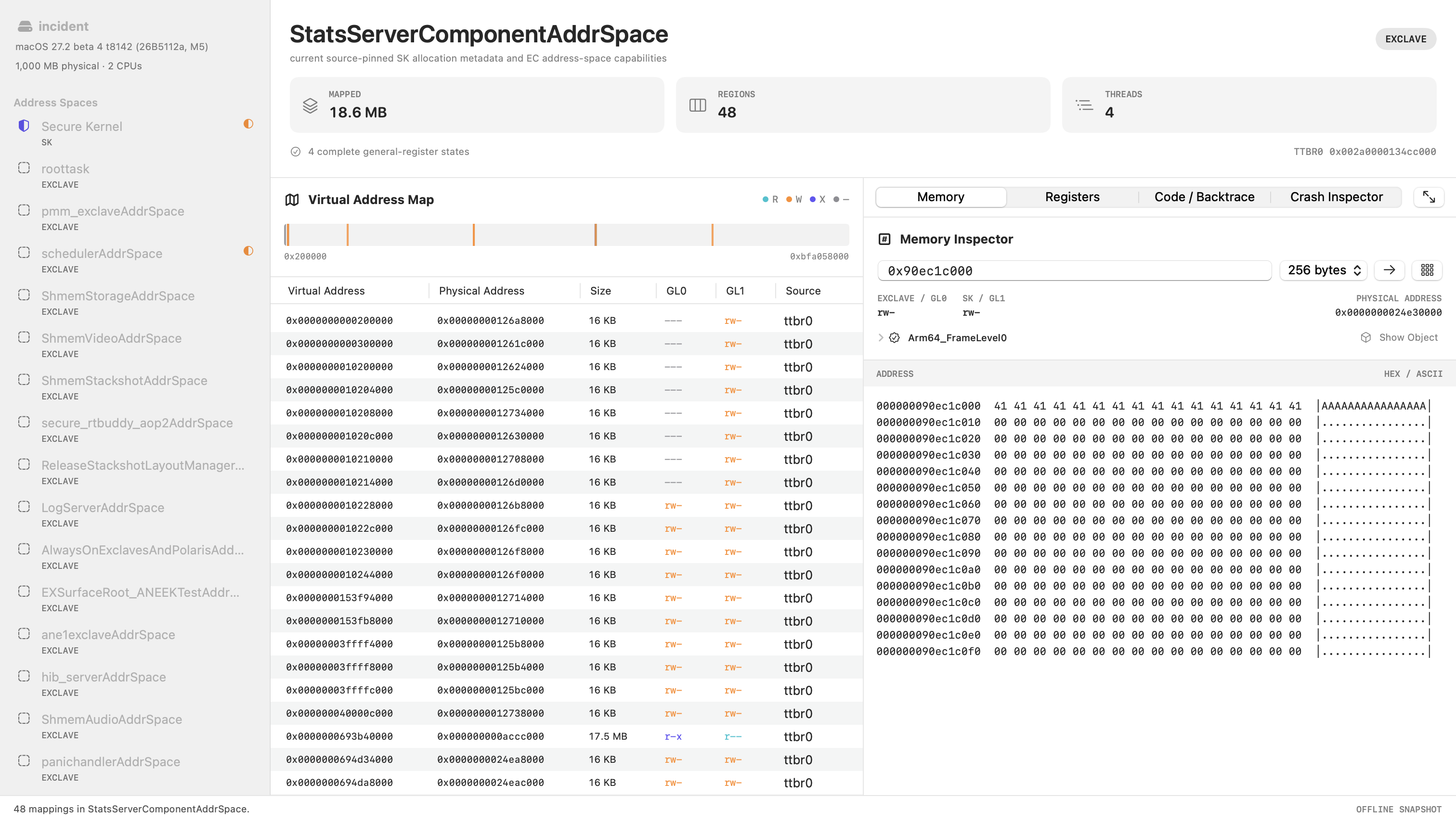
Navigate saved SK and Exclave memory, inspect a crash in context, and export a core for LLDB.
Explore the evidence →
GLx Trace Explorer
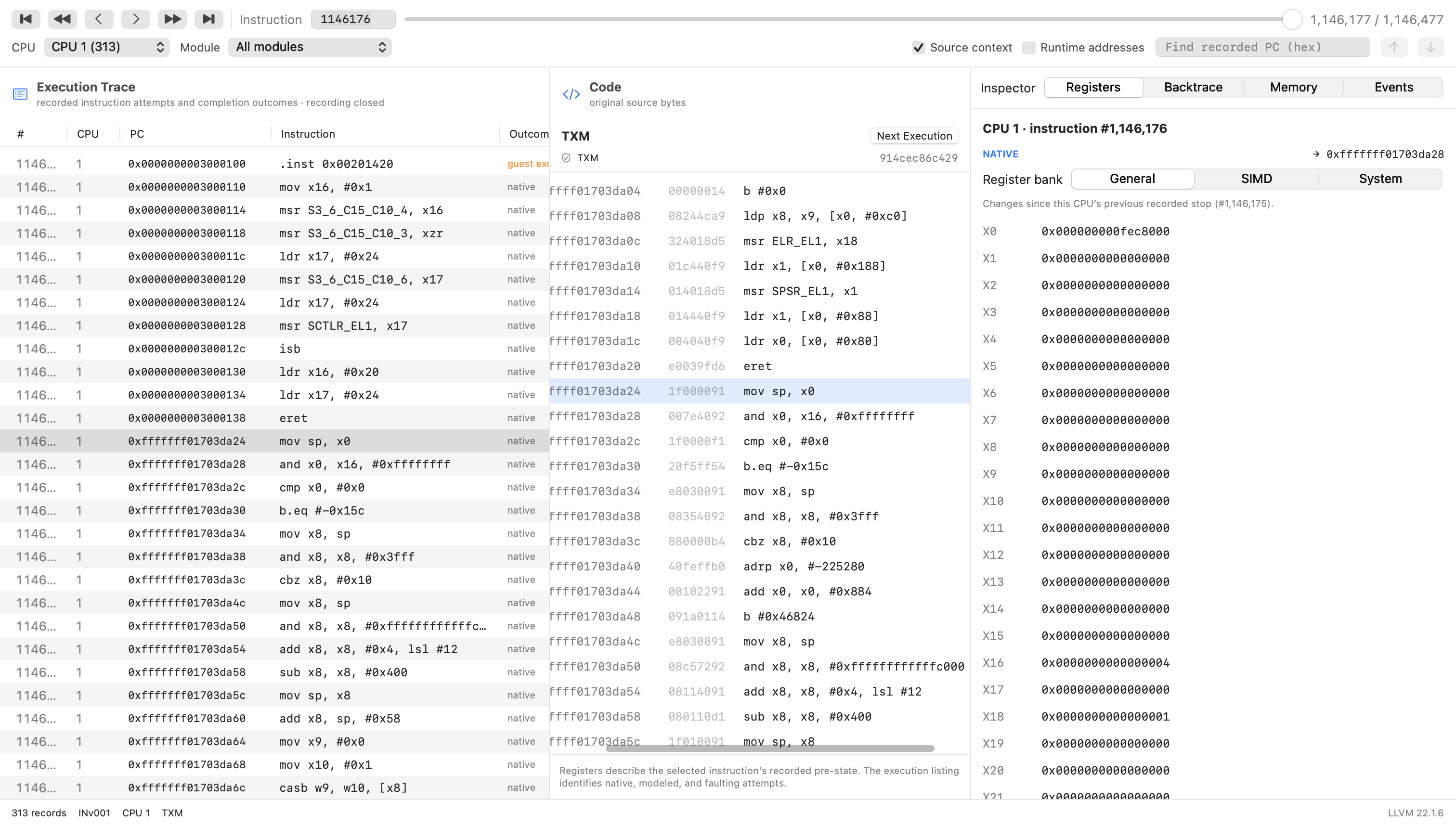
Walk recorded instructions forward or backward, compare registers, and follow control flow across CPUs.
Follow the execution →Your experiment.
Your stopping point.
Run Apple security components under Hypervisor.framework with the visibility and control needed for low-level research.
Make it your own with plugins →$ ./runner --version 18pro --cl4 \
--max-cpus 6 --gdb 1234 --gdb-waitMulticore bring-up
Select the CPU count supported by the firmware and inspect distinct CPU contexts through coordinated all-stop debugging.
GDB & LLDB
Use software and hardware breakpoints, watchpoints, single-step, physical memory access, and system-register inspection.
Firmware profiles
Keep target-specific offsets and capabilities in loadable profiles. Add supported versions without rebuilding the core runner.
Native guarded execution
Use the native VMApple/ISA4 path on qualified hardware and firmware, alongside the instrumented research environment.
Software MTE
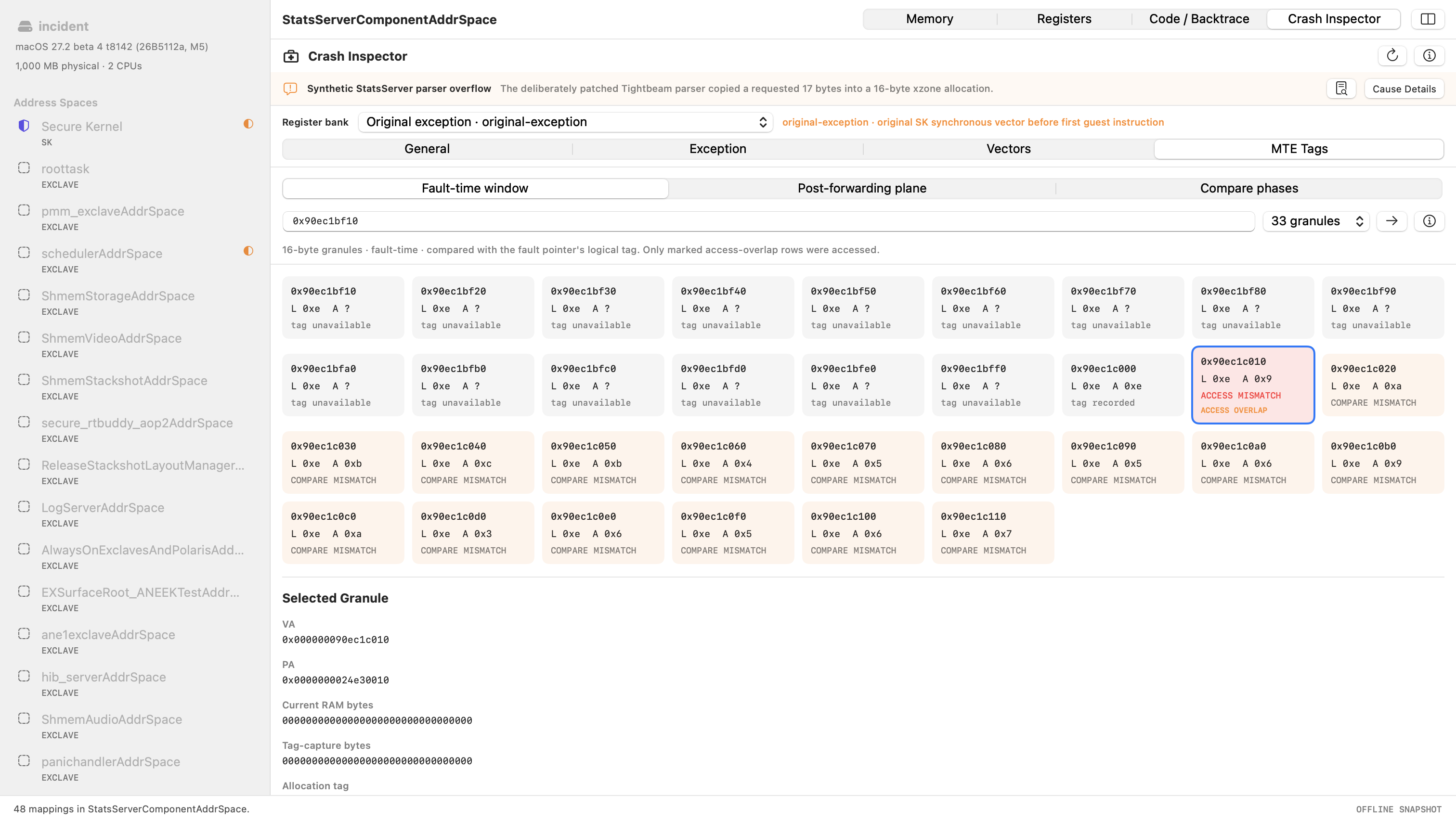
Track allocation and pointer tags, detect invalid tagged accesses, and retain fault-time evidence for the core explorer.
Research automation
Drive component interfaces, collect coverage, schedule controlled interleavings, and build focused fuzzing or validation harnesses.
Watch TXM
come to life.
Start the iPhone Duo Trusted Execution Monitor on four guest CPUs. Follow the complete console output, from the selected firmware profile through TXM initialization and secondary CPU bring-up.
./runner --version duo --txm-only --max-cpus 4
Watch a real
LLDB session.
Connect to an iPhone Duo TXM guest, stop during four-CPU bring-up, step an instruction, switch CPU contexts, and inspect registers, memory, and code.
A crash is more than
a fault address.
Keep the instruction, register values, memory mappings, object metadata, allocator state, and original panic report within reach.
Explore every address space
Inspect SK and Exclave mappings, GL0/GL1 permissions, physical backing, CNodes, capabilities, and saved thread contexts.
Understand the allocation
Follow xzone or MFM metadata, allocation boundaries, neighboring slots, and MTE tags around the recorded access. View the allocation ↗
Take the evidence with you
Export LLDB-loadable Mach-O cores. Inspect captured code or restore original bytes where the patch journal proves the change. View code and registers ↗
Go back to the instruction
that mattered.
Inspect what the guest recorded, with the relevant code and register state visible together. Step through a short window or navigate a complete bring-up trace.
Navigate execution
Move forward or backward, jump to a sequence, filter by CPU or module, and find the previous or next execution of a PC.
Keep context attached
Examine general, vector, and system registers. Optional recorded stack bytes and frame-pointer backtraces add context where available.
Know what was recorded
Distinguish native execution, modeled instructions, exceptions, host traps, and gaps. Large traces use mapped files and bounded views.
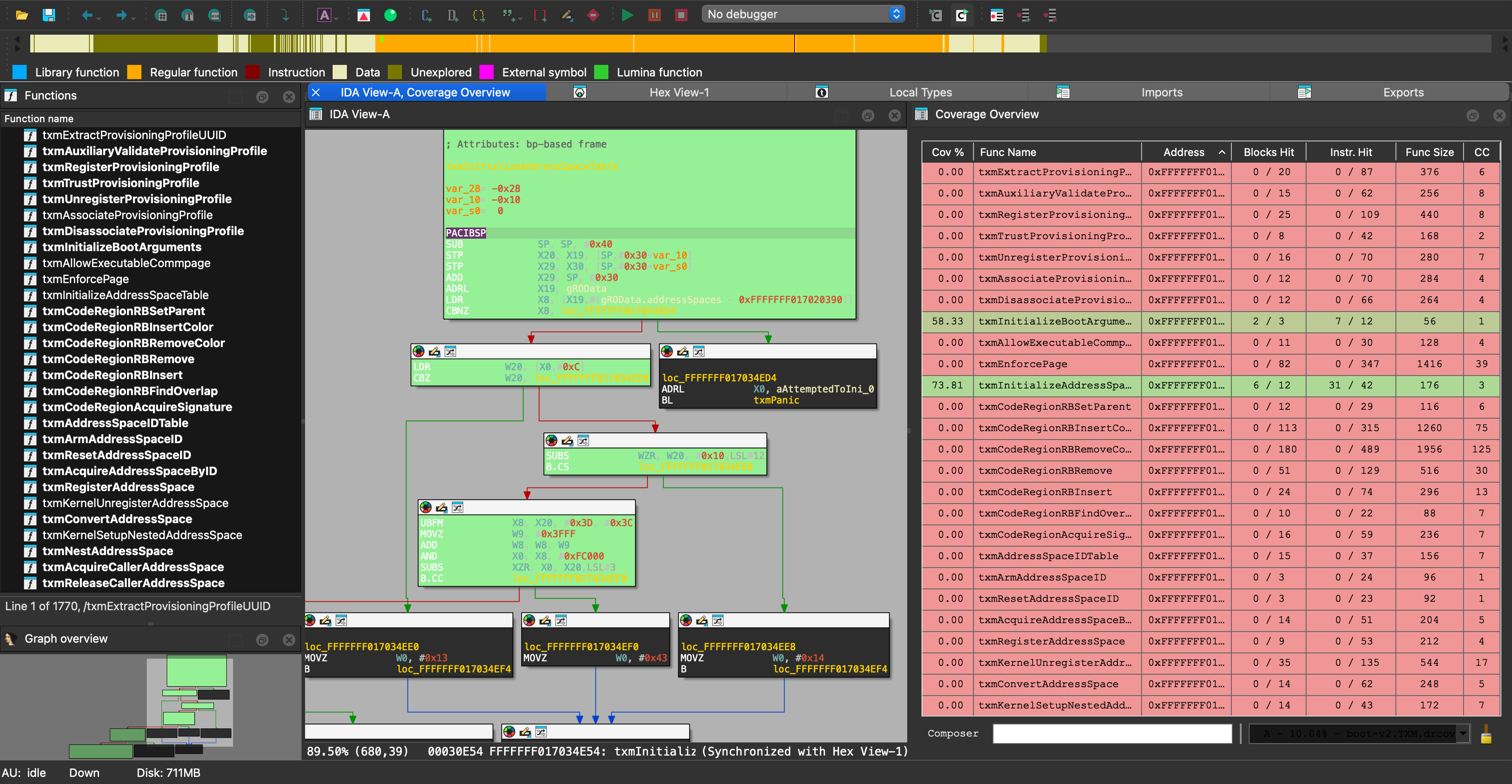
See which paths
your inputs reached.
Collect basic-block coverage and export drcov data for Lighthouse. Compare runs in IDA Pro or Binary Ninja, then use GLx to investigate the paths that remain unexplored.
Turn a question
into an experiment.
Observe lifecycle events, inspect live registers and memory, call component interfaces, and export your own evidence. Start with a small Python observer or build a native C plugin.
Download this example ↓Give your research
tools a live target.
Connect an MCP client or coding agent to GLx Runner over stdio. Start isolated runner sessions, inspect guest state, set breakpoints, step execution, and collect coverage through structured tool calls.
The server works with any compatible MCP client. Each managed run has its own process, debugger connection, and log.
Download the working MCP example ↓started = result_value(await session.call_tool( "run_start", { "version": "27", "gdb_wait": True, "extra_args": [ "--version", "duo", "--txm-only", "--max-cpus", "4", ], } )) run_id = started["run_id"] registers = await session.call_tool( "get_regs", {"run_id": run_id} ) await session.call_tool("step", {"run_id": run_id}) await session.call_tool("run_kill", {"run_id": run_id})
Bring your research
to the platform.
GLx Research Platform is available for commercial licensing and is used in Antid0te’s SPTM, TXM, SK, and Exclaves training. Tell us which devices, firmware versions, and workflows you want to investigate.